Which Airbnb Replies Are Stealing Your Day? Automate These Before They Break Your Team.
Guest communication automation for short-term rental property managers
Introduction
The guest asks for Wi-Fi. Then another asks for parking. Then someone wants to know where to leave trash. Then a late arrival asks for the door code that was already sent.
None of those replies feels big. Together, they steal the day.
That is the practical reason property managers search for Airbnb automated messages. They are not trying to make guest communication feel cold. They are trying to stop the same predictable questions from interrupting staff every hour.
The right starting point is not to automate everything. Start with the replies that are repeated, predictable, low risk, and easy to escalate if the message changes.
Start with the messages guests ask at predictable moments
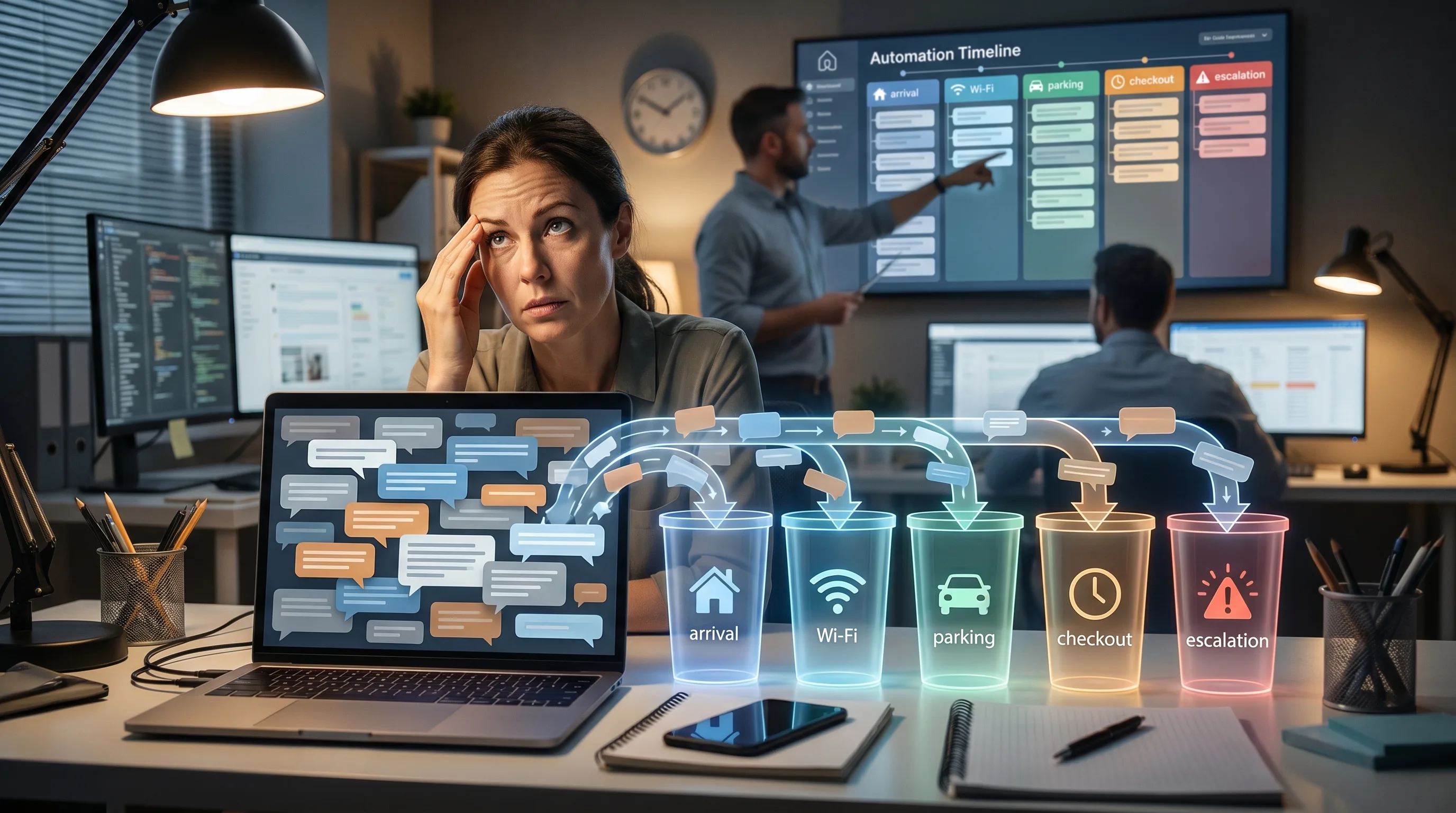
Airbnb documents scheduled quick replies that can be triggered around booking, check-in, checkout, and other timing events. That is the clue: the best automation candidates are tied to the guest journey.
The first bucket is pre-arrival. Guests ask about parking, check-in time, access, luggage, beds, pets, and amenities. These questions usually have property-specific answers, but the structure repeats.
The second bucket is in-stay basics. Wi-Fi, heating, trash, appliances, towels, and local instructions appear again and again.
The third bucket is checkout and review timing. Guests need reminders, instructions, and a polite close to the stay.
If your team answers these manually across every listing, automation is not a future project. It is a workload fix.
Do not start with the riskiest messages
Bad automation usually starts in the wrong place.
Refund requests, complaints, damage, safety issues, fraud concerns, and emotional guest messages should not be treated like routine FAQs. They need escalation, context, and sometimes a human tone that cannot be reduced to a saved reply.
Zendesk's 2025 CX report emphasizes that AI service needs human-aware control and governance (Zendesk). For property managers, that means automation should come with boundaries.
GuestReply follows that model. Routine Airbnb guest questions can be handled quickly. Sensitive or uncertain messages can be escalated before automation creates a guest-experience problem.
Templates are the floor, not the full workflow
Saved replies help. Booking.com also supports templates and automatic replies, which shows how normal this category has become across travel platforms.
But a template still needs someone to choose it, adapt it, and notice when it is not enough.
That is where repeated work hides. A team member sees a common question, searches for the right saved answer, tweaks it, checks the reservation, checks the property notes, sends it, and then does the same thing again for another guest.
The message took one minute. The interruption cost more than that.
A better priority list for Airbnb automation
Start with these categories:
Booking confirmation and next steps.
Pre-arrival reminders.
Check-in and access instructions.
Wi-Fi, parking, pet, and amenity questions.
Checkout instructions.
Review follow-up.
Then mark the categories that need escalation:
Refunds and exceptions.
Complaints and negative sentiment.
Safety or access emergencies.
Maintenance issues that need dispatch.
Anything where the property data is missing or uncertain.
The goal is not to remove people from hospitality. It is to let people focus on the messages where judgment actually matters.
Where GuestReply fits
GuestReply acts as Airbnb guest communication automation beside your existing stack. It can help answer repeated questions in under 1 minute, support 80+ languages, reduce manual workload, and escalate cases that should not be handled automatically.
That matters most when a manager grows beyond the point where one person knows every property and every guest thread by memory.
Airbnb's guest messaging help explains that messages can span before, during, and after the stay (Airbnb Help). If the work spans the full lifecycle, your automation should too.
The takeaway
Look at yesterday's Airbnb messages. Count the questions your team answered more than once.
Those are the first automation candidates.
Then look at the messages that created stress, risk, refunds, or judgment calls. Those are escalation candidates.
If you want GuestReply to automate repetitive Airbnb guest messages while keeping escalation rules in place, start a free trial.
FAQ
What Airbnb messages should property managers automate first?
Start with booking confirmation, check-in instructions, Wi-Fi, parking, routine house rules, checkout notes, and review follow-up.
Should complaints be automated?
Usually no. Complaints should be escalated or handled with human review because tone and judgment matter.
Are Airbnb automated messages enough by themselves?
Native tools help, but growing teams often need a broader workflow that connects timing, context, multilingual replies, and escalation.
